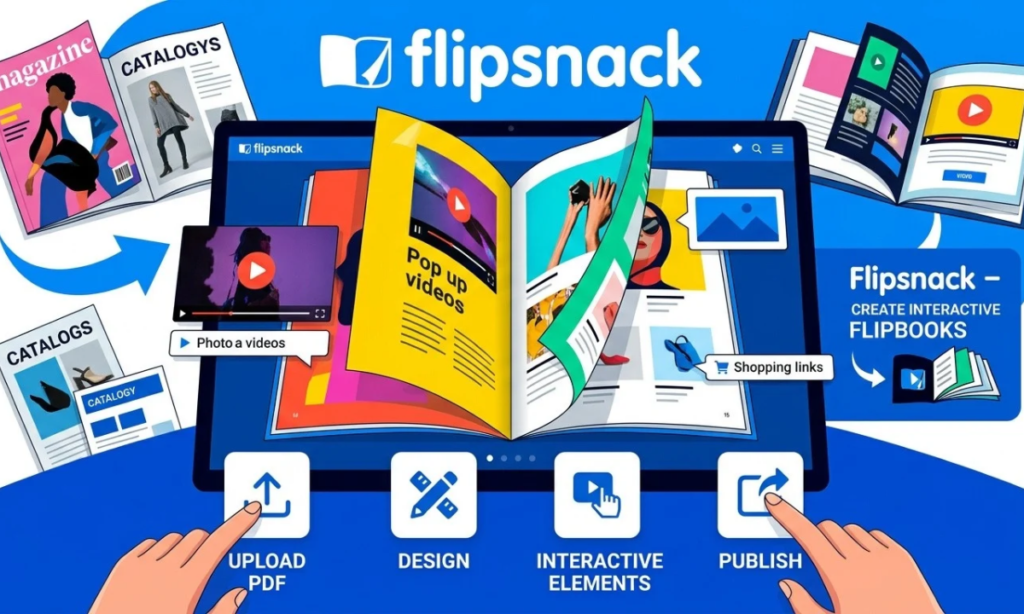

Digital content has changed the way businesses, educators, publishers, marketers, and organizations present information online. Instead of relying only on traditional PDFs, many teams now want publications that are easier to explore, share, and interact with. Flipsnack is a digital publishing platform designed to help users turn PDFs or newly created designs into interactive online publications.
According to it, users can upload PDFs, design publications from scratch, choose templates, add interactive elements, publish content, share it through different channels, and monitor reader engagement through analytics.
What Is Flipsnack?
It is an online digital publishing and flipbook platform that converts static documents into interactive digital publications. Users can upload a PDF and transform it into a flipbook, or create a publication from scratch through it’s Design Studio.
The platform is built around the idea of making digital documents more interactive. Rather than presenting a document only as a downloadable file, users can add features such as links, videos, buttons, forms, slideshows, and other interactive elements, depending on the available plan and feature.
What Is Flipsnack Used For?
It is used for creating and distributing digital publications such as magazines, brochures, catalogs, reports, newsletters, e-books, and other business or educational materials. Its Design Studio supports multiple types of publications and marketing materials.
Businesses can use interactive catalogs to present products, while marketing teams can create brochures and promotional materials with clickable links, videos, forms, and calls to action. Educational organizations can also use digital magazines, newsletters, and training materials to provide information in a more interactive format.
Who Can Benefit From Flipsnack?
It can be useful for businesses, marketing teams, publishers, sales departments, educators, human resources teams, and organizations that regularly create digital documents. It specifically describes use cases across marketing, sales, education, HR and internal communications, and learning and development.
The platform can be particularly useful when a document needs more than simple reading. For example, a product catalog can include product tags and shopping-related elements, while a training document can incorporate videos, quizzes, questions, or links where supported.
How Does Flipsnack Work?
There are several ways to begin a publication in it. Users can upload an existing PDF, create a document from scratch, or start with a template in the Design Studio. This provides flexibility for people who already have finished content as well as those who want to build a publication online.
Starting with a PDF can be convenient when the document has already been designed elsewhere. On the other hand, templates and blank-page design options can be useful when users want to create a publication directly inside the platform.
Uploading and Converting Content
It allows users to upload PDF files and convert them into digital flipbooks. Its Help Center explains that users can choose Create, select Upload files, and choose a PDF from their device or Google Drive. Multiple PDFs can also be combined into one flipbook. After conversion, the publication can be customized before it is published. The process means that users do not necessarily have to rebuild an existing PDF from the beginning simply to make it available as an online flipbook.
Customizing a Flipbook
Once the content has been uploaded, users can customize its appearance and add branding. It provides options related to logos, colors, fonts, layouts, player settings, and other design elements. Users can also add interactive elements through the Design Studio. Depending on the available functionality, these can include links, videos, buttons, slideshows, forms, product tags, quizzes, and embedded content.
Publishing and Sharing Content
After the publication has been customized and tested, it can be published and shared with readers. It supports methods such as direct links, website embeds, email sharing, and QR codes. It also offers different access options, including public, private, unlisted, and password-protected sharing, with some advanced access features available for appropriate plans.
Key Features of Flipsnack
One of it’s central features is the ability to turn static PDFs into interactive flipbooks. The resulting publication can include a page-flipping reading experience while retaining additional interactive content. The platform supports interactive navigation and multimedia elements, allowing readers to do more than simply move from one page to another.
Templates and Customization Tools
It provides ready-made templates as well as tools for creating publications from scratch. Users can customize designs and create reusable templates for consistent branding across multiple publications. Branding controls can include logos, colors, fonts, layouts, and other appearance settings. This can help organizations maintain a consistent visual identity when producing multiple digital documents.
Multimedia and Interactive Elements
Interactive content is an important part of the it experience. The platform supports elements such as hyperlinks, videos, slideshows, buttons, forms, product tags, quizzes, questions, and embedded content.
Sharing and Publishing Options
It provides multiple ways to distribute finished publications. Users can share direct links, embed flipbooks on websites, distribute them through email, or use QR codes. The platform also provides private and password-protected options for publications that should not be openly accessible.
Analytics and Performance Tracking
It includes analytics tools designed to show how readers interact with digital publications. According to its current analytics documentation, users can review information such as views, impressions, average time spent, downloads, interactions, page-level statistics, traffic channels, devices, and locations.
Benefits of Using Flipsnack
Creates Engaging Digital Content
It can make a traditional document more interactive by adding links, videos, forms, slideshows, buttons, and other elements. This gives readers additional ways to explore information instead of relying entirely on static pages. For organizations that already produce PDFs, adding interactivity can provide another way to present the same core information in an online environment.
Saves Time and Resources
It can simplify the process of converting existing PDFs into online flipbooks because users do not have to recreate every page from scratch. The platform also provides templates and reusable design options. For organizations producing catalogs at scale, it also describes automated catalog creation using product data, which can help reduce repetitive manual work and keep catalog information updated.
Improves Content Presentation
A digital flipbook can combine the structure of a traditional publication with online interactive features. Users can add multimedia, links, navigation tools, and branded design elements to create a more feature-rich publication. This approach can be useful when a document needs to communicate detailed information while also directing readers toward websites, products, forms, or other digital resources.
Makes Content Easy to Share
Digital publications can be distributed through direct links, embedded websites, email, social media, and QR codes. This means readers can access a publication without necessarily downloading a traditional PDF first. The ability to update published content also means organizations can maintain a digital version rather than repeatedly distributing new copies of the same document.
What Can You Create With Flipsnack?
Digital Magazines
It can be used to create digital magazines with page-based layouts and interactive features. Its official Design Studio documentation lists magazines among the types of digital flipbooks users can create. Publishers, businesses, organizations, and educational institutions can use this format for editorial content, organizational updates, lifestyle publications, or other magazine-style material.
Catalogs and Brochures
Catalogs and brochures are another important use case. Businesses can present products or services in a structured digital format and add interactive elements such as product tags, links, videos, and shopping-related features. For product-focused publications, these features can provide additional information without filling every page with long blocks of text.
Reports and Presentations
Reports and business presentations can also be published as digital flipbooks. Interactive charts, links, navigation elements, and other supported features can be incorporated into documents where appropriate. This can give organizations a web-friendly way to distribute reports while keeping the page-based structure of the original document.
Newsletters and Educational Materials
It can also support newsletters and educational publications. Its official use-case information mentions education, learning and development, and internal communications as areas where interactive publications can be used. Educational materials can include links, videos, quizzes, questions, and other interactive components when those features are available on the user’s plan.
How to Get Started With Flipsnack
Upload Your Content
The first step is to decide whether you want to upload an existing PDF or create a publication from scratch. It supports PDF uploads as well as templates and blank-page creation through its Design Studio. If your document is already finished, uploading the PDF can be the quickest starting point.
Customize Your Publication
After uploading or creating your document, review its appearance and branding. It provides customization options for elements such as logos, colors, fonts, layouts, and the flipbook player. A consistent design can make the finished publication easier to recognize and align with an organization’s existing branding.
Add Interactive Elements
The next step is to decide where interactivity actually adds value. It supports elements such as links, videos, buttons, forms, slideshows, product tags, quizzes, and embedded content. Instead of adding interactions to every page, consider using them where they help readers find information, watch supporting content, contact a business, explore products, or take another useful action.
Preview and Publish
Before publishing, review the publication to check the layout, links, multimedia, navigation, and overall reading experience. It’s workflow includes previewing and publishing after customization. Once published, choose the appropriate sharing method, such as a direct link, website embed, email, or QR code, based on the intended audience.
Tips for Creating Better Flipsnack Publications
A digital publication should have a recognizable visual structure. Use consistent branding, typography, layouts, and colors throughout the document so readers can focus on the information rather than adjusting to a different design on every page. It provides branding and reusable template capabilities that can support this type of consistency across publications.
Make Content Easy to Navigate
Navigation becomes particularly important when a flipbook contains many pages. It supports interactive navigation features, including clickable tables of contents and internal links, which can help readers move directly to relevant sections. A clear structure, descriptive headings, and useful navigation links can make longer publications easier to explore.
Optimize Content for Different Devices
It states that its flipbooks use responsive design and are optimized for mobile and desktop viewing. Even so, creators should review their publications on different screen sizes when possible. Text, buttons, images, videos, and interactive elements should remain practical to use on the devices their audience is likely to choose.
Use Interactive Features Effectively
Interactivity should support the purpose of the publication rather than simply decorate it. A product catalog might benefit from product tags or shopping-related elements, while a training document may benefit from videos, quizzes, or questions. Testing interactive elements before publication is also important. It’s Help Center recommends saving and previewing a flipbook to test interactions after adding them.
Flipsnack Limitations to Consider
Learning Curve
Although it is designed to simplify digital publishing, users who want to create highly interactive publications may need time to learn the Design Studio and its different tools. It provides an Academy and Help Center covering topics such as creating flipbooks, adding interactions, customizing publications, templates, and branding.
Feature and Plan Considerations
Not every it feature is necessarily available on every plan. For example, It’s documentation states that certain interactive elements are available for Business and Enterprise plans, while PDF uploading is available on every plan, including Free. Before building a publication around a particular function, it is therefore sensible to check the current plan and feature requirements on the official it website.
Design and Content Requirements
It can provide the tools for creating an interactive publication, but the quality of the final result still depends on the source content and design decisions. A poorly structured PDF, cluttered layout, unclear navigation, or excessive interactivity can make a publication harder to use. Creators should therefore focus on readable content, logical organization, suitable images, consistent branding, and interactions that have a clear purpose.
Conclusion
Flipsnack provides a practical way to turn traditional documents into engaging digital publications. With features for uploading PDFs, creating designs, adding interactive elements, customizing layouts, publishing content, and tracking reader activity, it can support a variety of digital publishing needs.
From magazines and catalogs to brochures, reports, newsletters, and educational materials, It offers tools for presenting information in an interactive online format. Users can also share publications through links, embeds, email, and QR codes, depending on their publishing setup.
FAQs
1. What is Flipsnack?
It is a digital publishing platform that helps users create interactive flipbooks from PDFs or designs. It can be used for magazines, catalogs, brochures, reports, newsletters, and other digital publications.
2. How does Flipsnack work?
It allows users to upload a PDF or create a publication using its design tools and templates. Users can then customize the content, add interactive features, publish it, and share it online.
3. What can you create with Flipsnack?
With it, users can create digital magazines, catalogs, brochures, reports, newsletters, and educational materials. Interactive elements can also be added where supported by the user’s plan.
4. Can Flipsnack publications be shared online?
Yes, It publications can be shared through direct links, website embeds, email, and QR codes. The platform also provides different access and privacy options depending on the publishing setup.
5. Does Flipsnack provide analytics?
Yes, It provides analytics that can show information about publication views, interactions, downloads, and reader engagement. Available analytics features can vary depending on the user’s plan.