
Unity Multiplayer Play Mode allows developers to test multiplayer games directly inside the Unity Editor. It simulates multiple players, including host and client roles, without building separate executables. This feature is essential for testing networked interactions and debugging synchronization issues. Developers can create test scenes with NetworkManager and networked player prefabs to see real-time gameplay. Advanced testing includes simulating AI players, network latency, and stress testing game logic.
What is Unity Multiplayer Play Mode?
It is a feature in the Unity Editor that allows developers to test multiplayer games directly without building separate clients or servers. It enables you to simulate multiple players on a single machine by running virtual player instances alongside the main Editor Player. This means you can see how players interact in real time, which dramatically speeds up development and testing.
Why Multiplayer Play Mode Matters for Game Developers
Testing multiplayer games is inherently more complex than single-player games because you need to manage multiple clients, synchronize player actions, and maintain consistent game state. Unity Multiplayer Play Mode simplifies this by letting developers test everything within the Editor, reducing iteration time and enabling faster debugging. It ensures that the networking logic works before creating full builds, saving both time and resources.
Understanding Multiplayer in Unity
Single-player games run all game logic locally for a single user. Multiplayer games, however, require networking so that multiple players can interact in the same game world. Unity provides networking solutions such as Netcode for GameObjects and Netcode for Entities to manage these interactions and synchronize game state across multiple clients.
Host, Client, and Server Explained
- Host: Acts as both server and player. It manages the game state while also participating as a player.
- Client: Connects to the host or dedicated server to play the game.
- Server: Maintains authoritative game logic and communicates updates to all connected clients.
Overview of Unity Networking Options
Unity offers multiple networking tools for multiplayer games:
- Netcode for GameObjects: High-level networking API suitable for most multiplayer projects.
- Netcode for Entities: Optimized for performance-intensive games using Unity’s DOTS architecture.
Setting Up Unity Multiplayer Play Mode
To use Multiplayer Play Mode, ensure you are using a Unity version that supports it and have installed the Multiplayer Play Mode package via Unity’s Package Manager. The feature works on both Windows and macOS.
How to Enable Multiplayer Play Mode
- Open the Unity Editor.
- Navigate to Window → Multiplayer → Multiplayer Play Mode.
- Select the number of players you want to simulate.
- Start Play Mode to see virtual players alongside the main Editor Player.
Creating a Test Scene for Multiplayer
A test scene should include:
- A NetworkManager component to manage player connections.
- A networked player prefab with movement and interaction scripts.
- A simple environment to test player actions.
Simulating Multiple Players in Play Mode
Unity Multiplayer Play Mode can run multiple virtual players inside the Editor without opening separate Unity instances. Each virtual player appears in its own window, allowing you to observe multiple perspectives simultaneously.
Testing Host and Client Roles
You can assign which player acts as the host and which as clients. This setup allows you to observe networked behavior, test authoritative server logic, and debug potential issues during gameplay.
Common Pitfalls and How to Avoid Them
- Virtual players cannot edit GameObjects directly in their windows; only the main Editor Player can.
- Running too many virtual players may reduce performance. It is best used for small-scale tests before full multiplayer builds.
Debugging Multiplayer Games in Unity
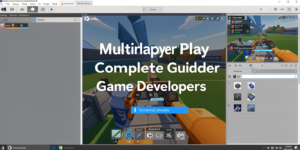
Monitor the Hierarchy and Inspector to verify that objects spawn correctly, player movement is synchronized, and interactions occur as expected.
Handling Synchronization Issues
Unity Multiplayer Play Mode network desynchronization can cause gameplay issues. Use authoritative server logic and network variables to maintain consistent game states across clients and the host.
Tips for Faster Multiplayer Testing
- Use minimal test scenes to focus on multiplayer mechanics.
- Leverage virtual players in Play Mode rather than building full game versions for every test.
- Keep logging and debugging tools ready to catch synchronization errors early.
Advanced Multiplayer Testing Techniques
- Using AI or Bots to Simulate Players: Incorporate AI or bot players to stress-test multiplayer interactions. Bots can simulate additional player actions to test networking logic under more complex scenarios.
- Network Latency and Packet Loss Simulation: Introduce artificial lag or packet loss to see how the game handles network instability. This helps in building more robust multiplayer systems that behave well under real-world conditions.
- Stress Testing Game Logic in Multiplayer: Run repeated multiplayer sessions with multiple players to uncover race conditions or gameplay bugs. This ensures your networking logic works under stress before release.
Best Practices for Unity Multiplayer Play Mode
- Organizing Scenes and Prefabs for Multiplayer: Keep networked objects organized and properly registered in the NetworkPrefab list. Make sure the NetworkManager configuration is clear and consistent across scenes.
- Efficient Testing Workflow Tips: Test locally as much as possible before building full executables. Focus on the multiplayer mechanics first, then scale testing to more players and environments.
- Performance Optimization Tips: Keep test scenes lightweight. Avoid excessive objects or complex UI while running multiple virtual players, as this can impact performance and give inaccurate test results.
Wrapping up
Unity Multiplayer Play Mode is an essential tool for any developer building multiplayer games. It allows you to simulate multiple players, test networking logic, and debug efficiently — all without leaving the Unity Editor. By mastering this feature, developers can save time, catch bugs early, and ensure smoother multiplayer experiences. Start using it today to streamline your multiplayer game development workflow.
FAQs
What is Unity Multiplayer Play Mode?
It lets you test multiplayer games in the Unity Editor by simulating multiple players without building separate clients.
How many players can I test at once?
You can simulate up to four players, including one main Editor Player and up to three virtual players.
Do I need an internet connection to test?
No, Multiplayer Play Mode works locally, letting you test host and client interactions on a single machine.
Can I debug network issues in Play Mode?
Yes, you can track networked objects, player actions, and synchronization issues directly inside the Editor.
Is Multiplayer Play Mode suitable for performance testing?
It’s best for functional and small-scale testing; full stress testing may require actual builds or multiple machines.