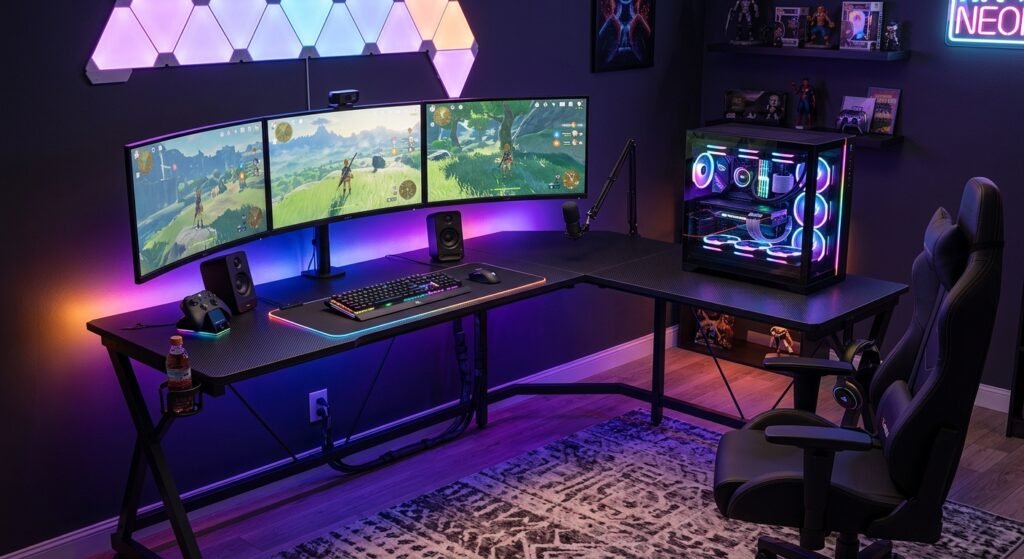

An L-shaped gaming desk can be a practical choice for gamers who need more usable workspace without arranging several separate desks. Its corner design creates two connected work surfaces, giving you room for a gaming PC, monitors, keyboard, mouse, speakers, and other accessories.
However, choosing the right desk is about more than appearance. Size, depth, stability, weight capacity, cable management, and ergonomic setup can all affect how useful the desk becomes.
What Is an L-Shaped Gaming Desk?
It is a desk designed with two connected surfaces arranged at approximately a right angle. Instead of having one straight desktop, the user can work across two sides of the desk. This configuration can make good use of a corner while providing additional surface and depth.
It can be useful when you need room for large monitors, gaming accessories, or other equipment. For gamers, the extra surface can be useful for separating different parts of a setup. One side can hold the primary gaming equipment while the other can be used for another monitor, laptop, speakers, paperwork, or other accessories.
How Does an L-Shaped Gaming Desk Work?
The desk fits into a corner or another suitable area and provides two connected work surfaces. The user normally sits near the inside corner, although the exact position depends on the desk’s design. This layout allows equipment to be distributed instead of placing everything along one straight line.
For example, a primary monitor can sit in front of the user while secondary equipment occupies the adjacent surface. Good positioning still matters. The primary monitor should generally be placed directly in front of the user, while frequently used equipment should remain within comfortable reach.
Why Are L-Shaped Desks Popular Among Gamers?
One reason is the combination of workspace and corner efficiency. Gamers often have more equipment than a basic computer setup, including multiple displays, keyboards, mice, speakers, controllers, microphones, and other accessories.
An L-shaped layout can give these items more room without requiring two completely separate desks. It can also make it easier to create separate gaming and work areas. The design is not automatically better for everyone, though. A large desk can be difficult to fit into a small room, so available floor space should always be considered before buying.
Benefits of an L-Shaped Gaming Desk
Maximizes Available Space
A corner desk can make productive use of an area that might otherwise remain unused. Instead of extending one long desk across a wall, an L-shaped design can use two directions. This makes it particularly interesting for rooms where the corner is the most practical location for a workstation.
Provides More Gaming Surface
Gaming equipment can quickly occupy a desktop. A monitor, keyboard, mouse, speakers, controller, microphone, and other accessories all require space. A larger work surface gives you more flexibility when arranging these items. It can also reduce the need to stack equipment or place frequently used accessories far away.
The important point is not simply having a large desk. The surface should be large enough to accommodate your monitor, keyboard, mouse, and other equipment comfortably.
Supports Multiple Monitors
An L-shaped gaming desk can be useful for people who use two or more displays because its layout can provide additional positioning options. However, having extra space does not automatically mean every monitor arrangement will be comfortable.
The primary monitor should remain directly in front of you, with additional monitors positioned beside it when needed. The available depth is also important. Monitors should be positioned at a comfortable viewing distance rather than being placed too close to the user.
Improves Organization and Cable Management
More surface area can make it easier to separate equipment and maintain an organized setup. Cable management can further improve the appearance and usability of the gaming area. Cable trays, clips, ties, and similar accessories can help keep wires grouped instead of allowing them to spread across the desktop or floor.
Key Features to Look for in an L-Shaped Gaming Desk
Size and Dimensions
Dimensions should be one of the first things you check. Measure the intended area before purchasing and consider the space needed for your chair and movement around the desk. Do not judge a desk only by its total width. Desktop depth is also important because monitors need sufficient space for comfortable viewing.
Build Quality and Materials
A gaming desk should be stable enough for the equipment you intend to place on it. Look at the materials used for the desktop and frame, the construction of the legs, and the manufacturer’s stated load capacity. Avoid assuming that two desks with similar dimensions have the same strength. Product specifications should be checked individually.
Storage Options
Storage is not essential for every gamer, but shelves, drawers, hooks, or other storage areas can make a setup easier to organize. Think about what you actually need to store. Controllers, headphones, documents, accessories, and small gaming equipment may benefit from dedicated storage. Do not sacrifice comfortable legroom simply to gain extra storage.
Cable Management
Cable management becomes increasingly important as the number of devices increases. A desk with cable holes, trays, channels, or other routing options can make the setup easier to maintain. If the desk does not include cable-management features, you can use external clips, reusable ties, or trays. Planning cable routing before placing all your equipment can also make the final setup cleaner.
Ergonomic Design
Ergonomics should be considered alongside appearance. A desk should work with your chair, monitor, keyboard, and mouse rather than forcing you into an uncomfortable position. The desk should allow your arms and elbows to remain in a comfortable position while using the keyboard and mouse. Your monitor should also be positioned at a suitable height and viewing distance.
How to Choose the Right L-Shaped Gaming Desk
Consider Your Available Space
Start by measuring the room. Check the width and depth of the intended corner and leave enough clearance for your chair. Also consider doors, windows, power outlets, and other furniture. A desk that technically fits may still make the room uncomfortable if there is not enough space to move around it.
Choose the Right Desk Size
Your ideal size depends on your equipment and how you use the desk. A single-monitor setup may require less space than a multi-monitor gaming and streaming workstation. Make a list of the equipment you want on the desktop before deciding on dimensions. This gives you a practical idea of how much surface area you actually need.
Check Weight Capacity
Check the manufacturer’s stated maximum load before purchasing. Add up the approximate weight of your monitors, PC equipment, speakers, accessories, and anything else you plan to place on the desk. Never assume that a larger desktop automatically has a higher load capacity. The manufacturer’s specifications are the better reference.
Consider Your Gaming Equipment
Think about your entire setup rather than just your computer. If you use multiple monitors, a microphone, speakers, controllers, a laptop, or other accessories, the desk needs to accommodate them without creating unnecessary clutter. Monitor positioning should remain a priority. The primary screen should generally remain directly in front of you, while additional displays can be positioned around it.
Set a Realistic Budget
Price should be considered alongside construction, dimensions, features, and warranty rather than being the only deciding factor. A cheaper desk may provide enough surface area but lack features you need, while a more expensive model may include storage or adjustability that you do not actually require. The best choice is the desk that provides the features you need within a comfortable budget.
L-Shaped Gaming Desk Setup Ideas
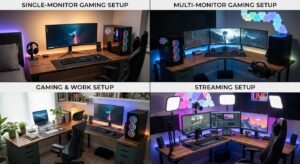
Single-Monitor Gaming Setup
For a single-monitor setup, place the main screen directly in front of your usual sitting position. Keep the keyboard and mouse close enough that you do not have to reach forward repeatedly. The second side of the desk can hold speakers, a controller, accessories, or other items.
Multi-Monitor Gaming Setup
With multiple monitors, make the primary display the main focus and position secondary displays beside it. An L-shaped surface can provide additional room, but the monitors should still be arranged around your normal viewing position rather than simply filling every available section of the desk.
Gaming and Work Setup
An L-shaped gaming desk can separate gaming equipment from work or study materials. For example, one section can hold the gaming monitor, keyboard, and mouse, while the other provides room for a laptop, documents, or another screen. This can help maintain distinct areas without requiring two separate desks.
Streaming Setup
Streamers may need additional equipment such as microphones, cameras, lighting controls, headphones, and secondary displays. The extra surface of an it can make it easier to arrange these devices while keeping the main gaming controls in front of you.
L-Shaped Gaming Desk vs. Regular Gaming Desk
Space and Surface Area
A regular straight desk can be simpler and may fit better against a single wall. An L-shaped desk generally provides two connected surfaces and can make better use of a suitable corner. The right option depends on the room and equipment. More surface area is useful only if you actually have enough room to accommodate the desk comfortably.
Organization and Storage
An L-shaped design can provide separate zones for different activities. Depending on the model, storage features may also help keep smaller accessories organized. However, storage varies considerably between products, so it should be evaluated as a specific feature rather than assumed to be included.
Which Desk Is Right for You?
Choose it if you need additional surface area, use several devices, or want separate gaming and work zones. A regular desk may be more suitable if you have limited floor space, use a simple setup, or prefer a straightforward layout.
Common Mistakes to Avoid When Buying an L-Shaped Gaming Desk
Choosing the Wrong Size
One of the easiest mistakes is buying a desk based only on photographs. Always check the actual measurements and compare them with your available space. Remember that chair clearance and walking space matter too.
Ignoring Desk Height
Desk height affects how your arms, shoulders, keyboard, and mouse are positioned. If the desk is fixed-height, make sure it works with your chair and body dimensions before purchasing. An adjustable desk can provide additional flexibility for finding a comfortable working position.
Overlooking Build Quality
A desk can look impressive while still being unsuitable for heavy equipment. Check the materials, frame construction, stability information, and maximum load specification. These details are more useful than appearance alone when comparing options.
Forgetting Cable Management
A large gaming setup can create a large number of cables. Ignoring cable routing can leave the workspace cluttered. Look for built-in cable holes or trays, or plan to add cable-management accessories after installation.
Pros and Cons of L-Shaped Gaming Desk
| Pros | Cons |
| Provides more workspace for gaming equipment | Requires more floor space than a straight desk |
| Makes practical use of room corners | Can be difficult to move or reposition |
| Supports multiple monitors and accessories | Some models can be harder to assemble |
| Creates separate gaming and work areas | Larger surfaces can become cluttered |
| Offers room for better equipment organization | May cost more than basic straight desks |
Who Should Buy an L-Shaped Gaming Desk?
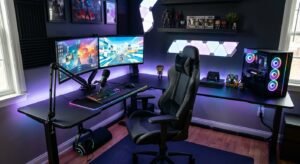
Gamers With Multiple Monitors
People using multiple monitors may benefit from the additional workspace, provided the desk is deep enough and the screens can be positioned comfortably. The primary display should remain directly in front of the user, with secondary displays positioned nearby.
Streamers and Content Creators
Streamers and content creators often have more equipment than a basic gaming setup. An L-shaped layout can provide additional places for microphones, cameras, lighting controls, secondary screens, and accessories. The exact requirements depend on the creator’s equipment, so measuring the setup before purchasing is important.
Gamers With Limited Space
An it can be useful when a room has a suitable corner that can be used efficiently. However, “space-saving” does not mean every L-shaped desk is small. Always compare the desk’s dimensions with the actual room before buying.
People Who Work and Game
People who use the same computer area for work, study, and gaming may appreciate having two connected surfaces. One side can be dedicated to gaming while the other supports work-related equipment. This can create a more organized workstation without needing two separate desks.
Final Thoughts
An L-Shaped Gaming Desk can be a practical choice for gamers who need more workspace, better organization, and room for multiple devices. Its corner-friendly design can provide separate areas for gaming, streaming, studying, or working without requiring multiple desks.
Before buying it, consider your available space, desk dimensions, build quality, weight capacity, cable management, storage, and ergonomic features. The right desk should comfortably support your equipment while keeping your gaming area organized.
FAQs About L-Shaped Gaming Desk
1. What is an L-Shaped Gaming Desk?
Ans: It has two connected surfaces that form an L shape, providing extra workspace for monitors, computers, and gaming accessories.
2. Is it good for gaming?
Ans: Yes, and it can provide more room for gaming equipment, multiple monitors, controllers, speakers, and other accessories while keeping the setup organized.
3. Is it suitable for small rooms?
Ans: It can work well in a suitable corner, but you should measure the room carefully because some models have a relatively large footprint.
4. Can I use an L-Shaped Gaming Desk for work?
Ans: Yes, the additional surface can make it easier to separate gaming equipment from work or study items, creating two useful workspace areas.
5. What should I consider when buying it?
Consider the desk’s dimensions, build quality, weight capacity, cable management, storage, ergonomics, and compatibility with your gaming equipment.